How to install the App for VIDAA Smart TVs
Install From VIDAA Store TV
For all VIDAA-powered TVs :
- Open VIDAA Home page, go to My Apps, search SmartOne IPTV
- Once found, install the application SmartOne IPTV from VIDAA Store.
Access SmartOne IPTV APP from APPS HOME
Once SmartOne IPTV application has been installed, go to APPS HOME, then scroll and find SmartOne IPTV then lunch the App.
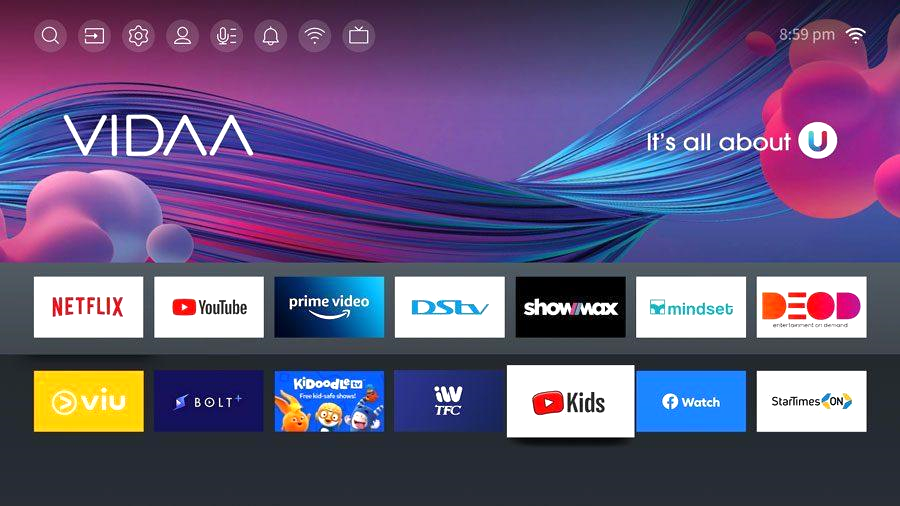
Supported VIDAA TVs:
VIDAA 6: Hisense, Toshiba, Loewe, We by Loewe, Newsan, BGH, Element, Schneider, Nordmende, Shinon, Vortex, AKAI, NIKAI, BRUHM, General Gold and hundreds more.
VIDAA 5: Hisense, Toshiba, Loewe, We by Loewe, Newsan, BGH, Element, Schneider, Nordmende, Shinon, Vortex, AKAI, NIKAI, BRUHM, General Gold and hundreds more.
VIDAA 4: Hisense, Toshiba, Loewe, We by Loewe, Newsan, BGH, Element, Schneider, Nordmende, Shinon, Vortex, AKAI, NIKAI, BRUHM, General Gold